

- Login to the UniVoxx portal.
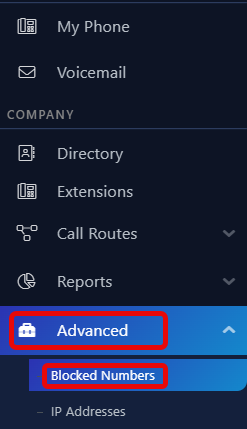
- Navigate to the ‘Blocked Numbers’ menu.
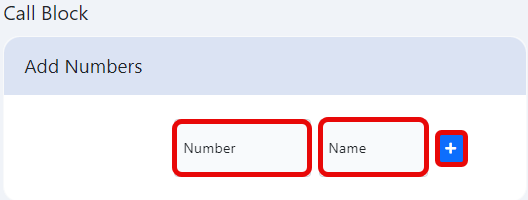
- Enter the desired phone number and an associated name to identify the number with.
Still stuck?
This is the general version of this guide. Sign in to the customer portal for guides written for your system, deeper troubleshooting and your support history, or reach our team directly.