

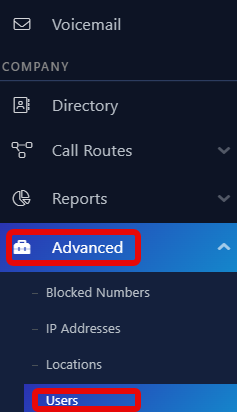
- After logging UniVoxx Portal side menu click Advanced > Users
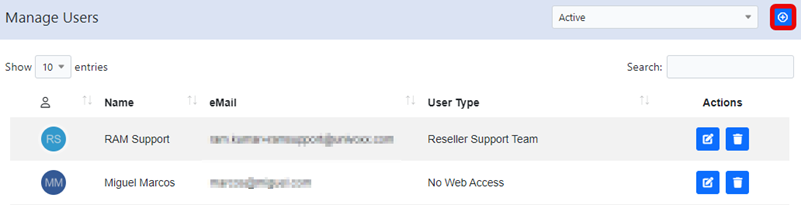
- Click the "+"icon from the top right corner to add a new user
- Fill in the required fields, then click the Create User button.
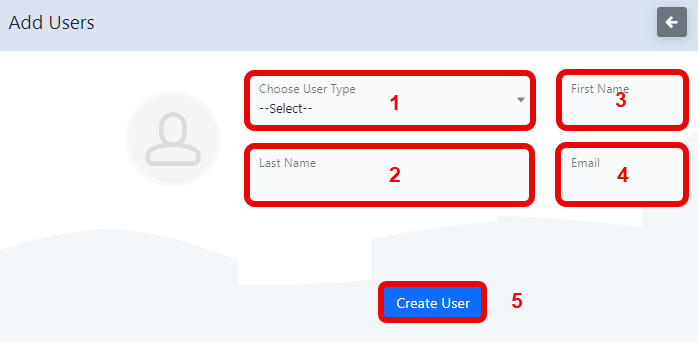
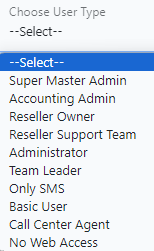
1 - Select the appropriate user type
2 - Last Name of User
3 - First Name of User
4 - User's email (Used for login)
5 - Save the user configuration
Still stuck?
This is the general version of this guide. Sign in to the customer portal for guides written for your system, deeper troubleshooting and your support history, or reach our team directly.