

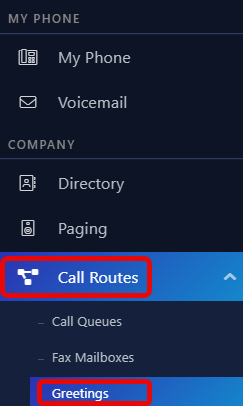
- Navigate to the ‘Greetings’ page from the ‘Call Routes’ menu.
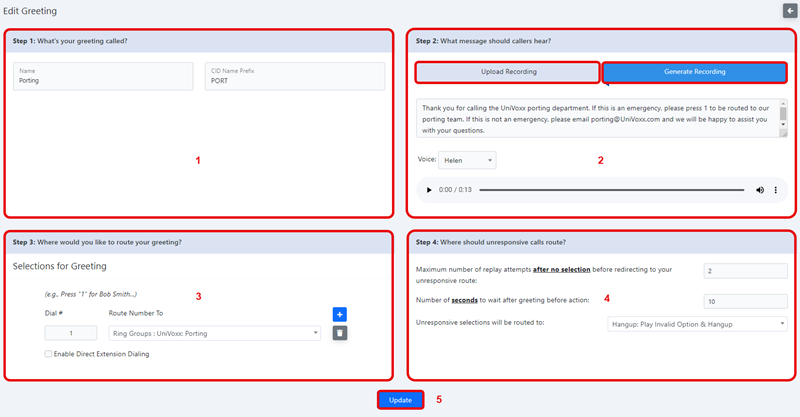
- Listed below are the greeting settings.
1 - Name: This is the name used to identify the greeting when routing.
2 - Recording: Here we can generate the recording that will play for the greeting. Make sure this matches the settings created in window 3.
If you are uploading an audio file for the greeting, it has to be in a .WAV or .MP3 format
3 - Routing: Set the dial plan and associated routing here.
4 - Unresponsive Call Routing: Here are the settings for what to do with a caller that has not selected any number for call routing.
5 - Update: Select when all configurations have been set.
Still stuck?
This is the general version of this guide. Sign in to the customer portal for guides written for your system, deeper troubleshooting and your support history, or reach our team directly.