

Create an New Emergency Notification Group
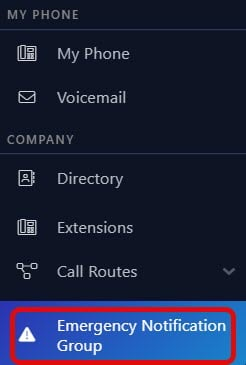
- Navigate to the 'Emergency Notification Group' page.
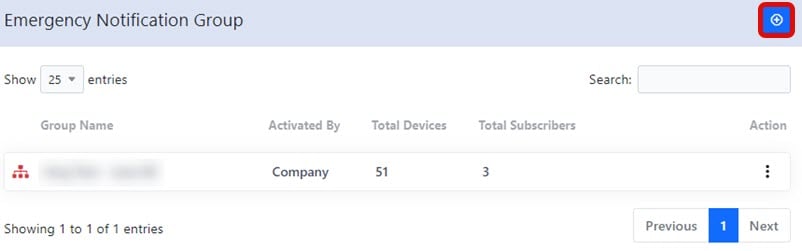
- Select the
 button.
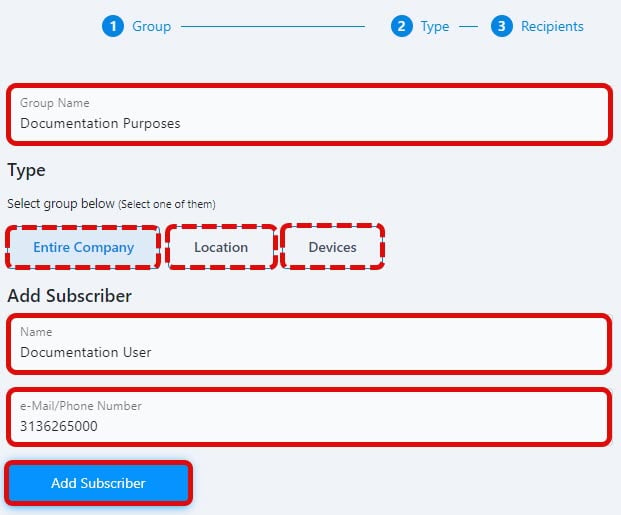
- Type in an appropriate name for the group. Select 'Continue'.
- Select whether the alert is in regard to devices in the 'Entire Company', just one 'Location', or even just one 'Device'. Select 'Continue'.
- Type in the name and number of a user who will be the recipient of these notifications. Select 'Add Subscriber'
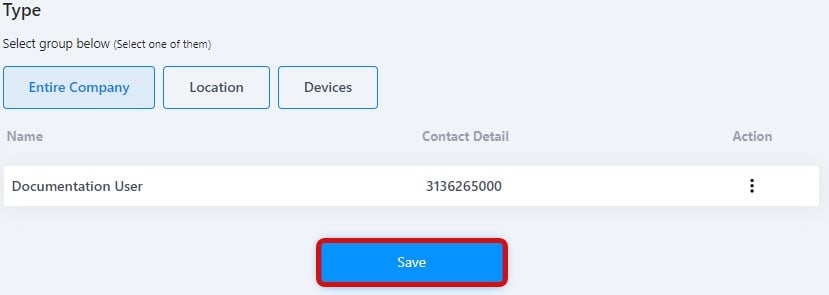
- More subscribers can be added. If all subscribers have been added, select 'Save'.
Edit an Emergency Notification Group
- Navigate to the 'Emergency Notification Group' page.
- Select the
 icon next to the group you want to edit. Select 'Edit'.
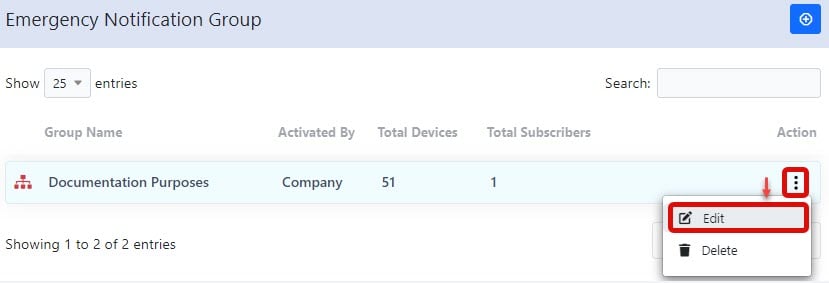
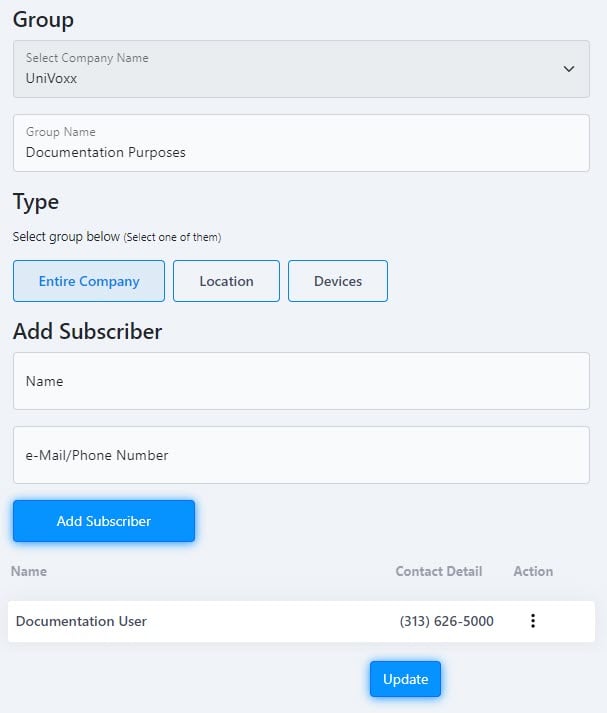
- Edit any of the required settings, like adding a new subscriber. Select 'Update'.
Deleting an Emergency Notification Group
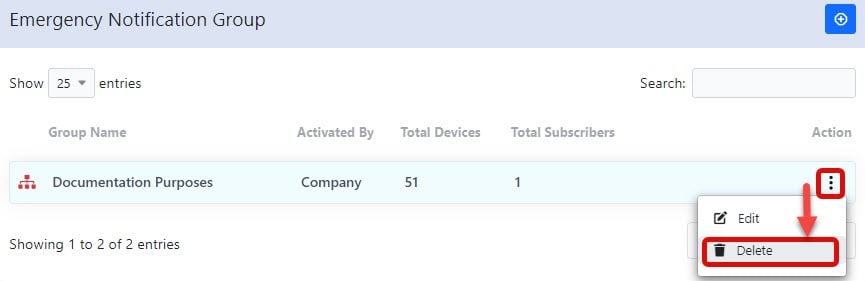
- Navigate to the 'Emergency Notification Group' page.
- Select the icon next to the group you want to delete. Select 'Delete'.
Still stuck?
This is the general version of this guide. Sign in to the customer portal for guides written for your system, deeper troubleshooting and your support history, or reach our team directly.