

- Login to the UniVoxx portal.
- Navigate to the Extensions page by clicking the
 icon.
- Select the extension you want you change the voicemail password on.
- Select the
 button on the configuration page for the extension.
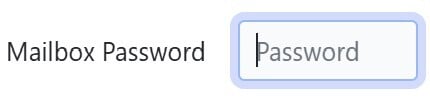
- Where it says, Mailbox Password, delete the old password and type in a new one.
- Select
 at the bottom of the voicemail box.
- Select on the extension page.
Still stuck?
This is the general version of this guide. Sign in to the customer portal for guides written for your system, deeper troubleshooting and your support history, or reach our team directly.