

- Open the UniVoxx Desktop Application.
- Log-in using your UniVoxx Credentials.
When the application opens, you will see your main menu on the left side. 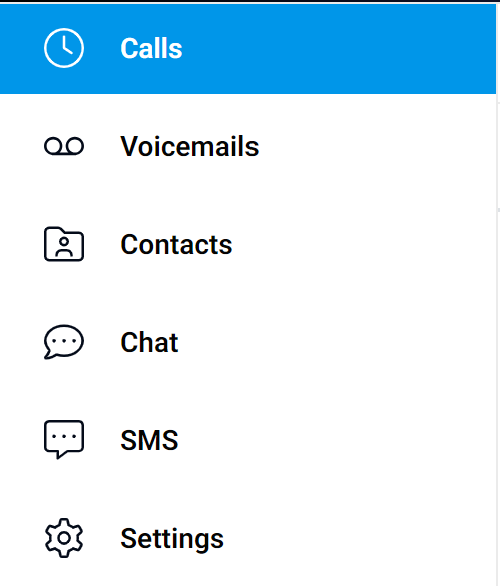
- Calls: Shows your recent and missed calls.
- Voicemails: Shows your recent voicemails.
- Contacts: Shows your saved Contacts.
- Chat: Direct Messaging with Contacts.
- SMS (If Enabled): Shows SMS text messages sent to and from your number.
- Settings: Change settings like Audio Input and Output and Voicemail Greetings.
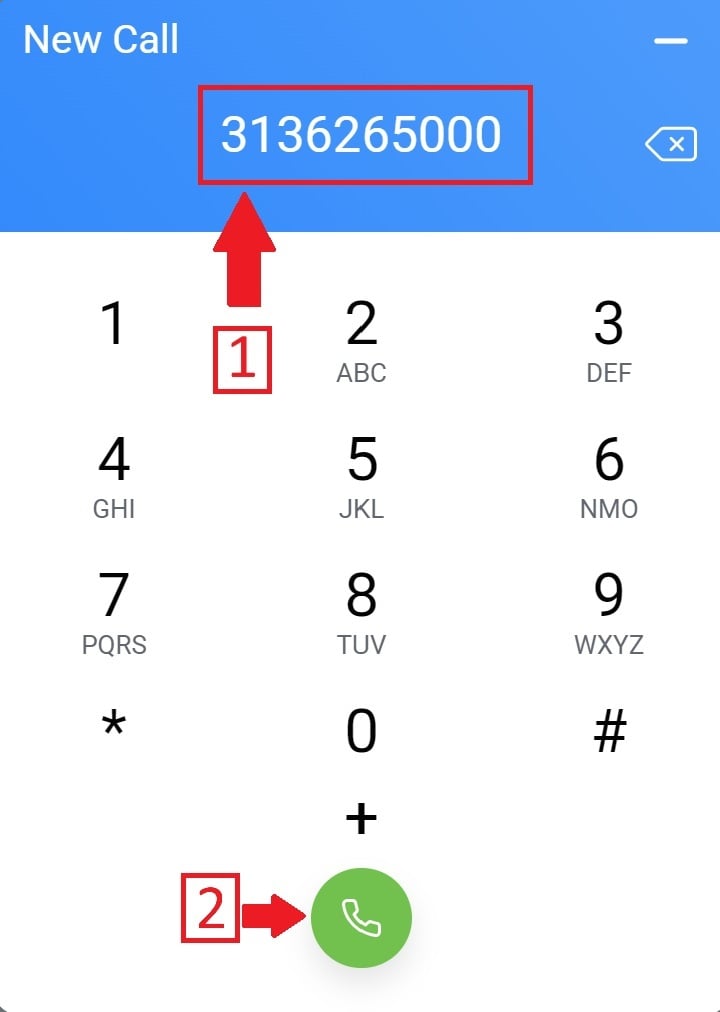
To make a call, press the blue keypad in the bottom left on the window.

Then, type in the phone number you want to call, then press the green "call" button.
Still stuck?
This is the general version of this guide. Sign in to the customer portal for guides written for your system, deeper troubleshooting and your support history, or reach our team directly.