

- Downloading the Application
- Go to https://internal.univoxx.com/desktop/
- Press the Download button for the operating system of your computer.

- Installing the Application
1.
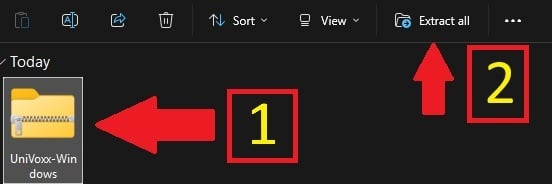
- Locate the Zip Folder inside of File Explorer.
- Click once on the Zip Folder, the press "Extract All" at the top of the window.
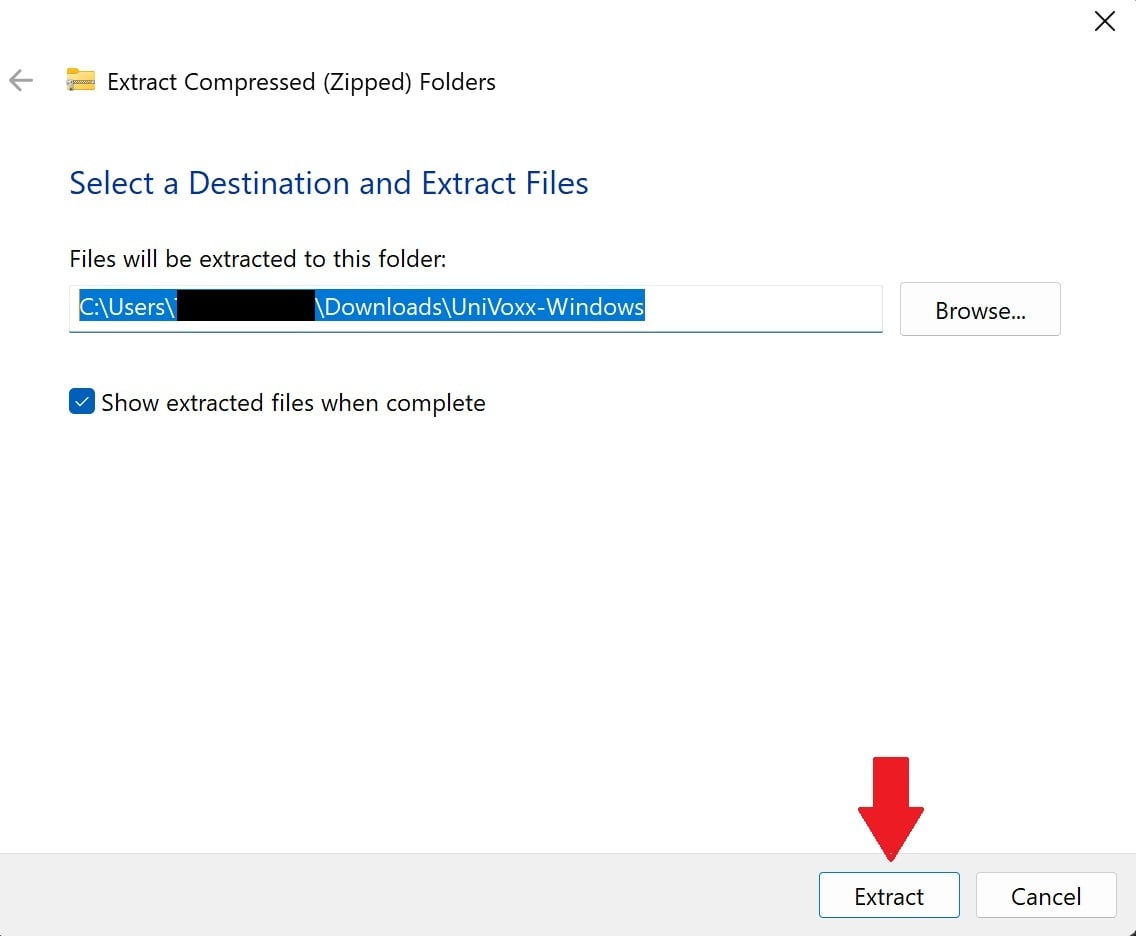
- Press "Extract" in the pop-up.
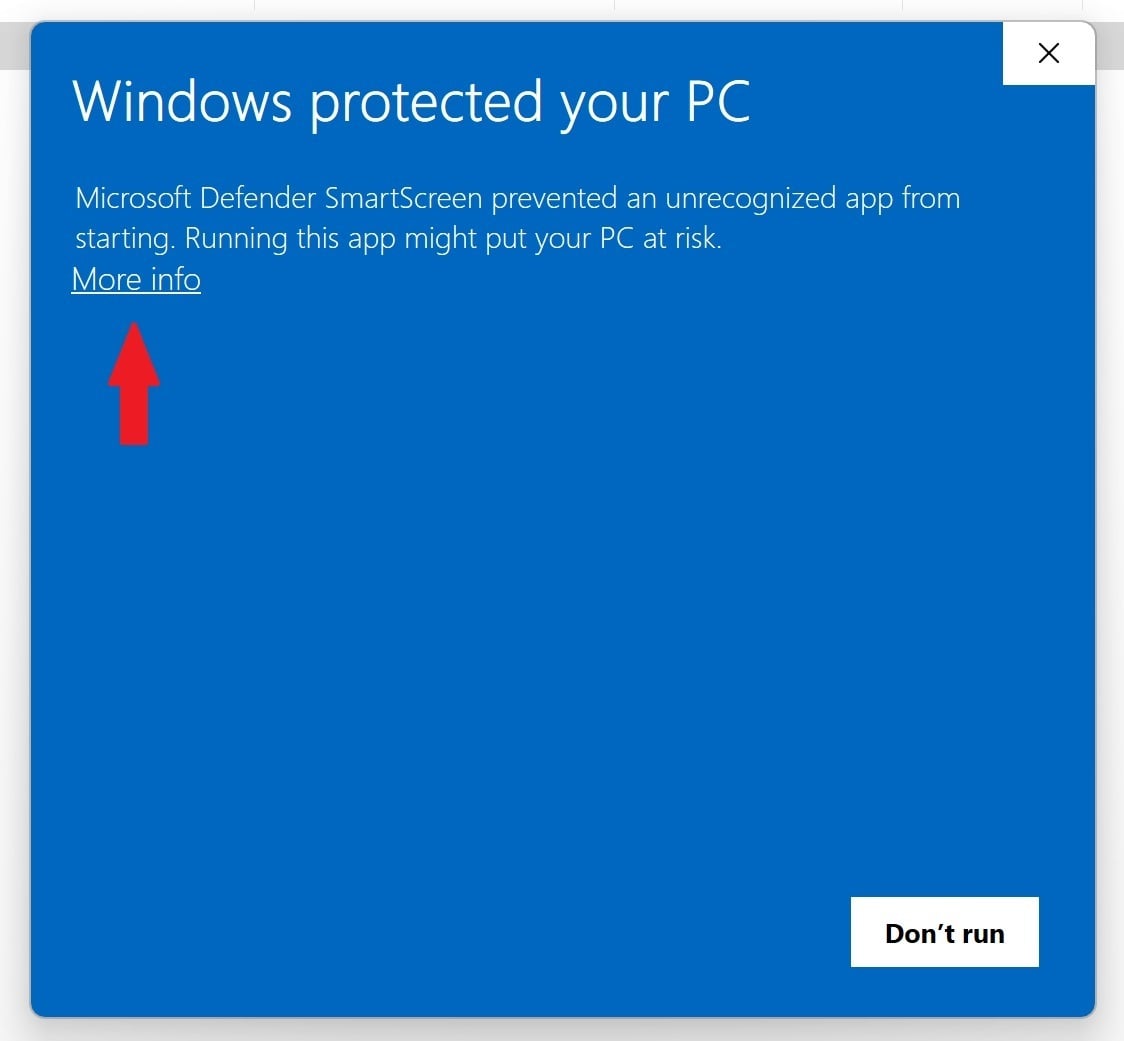
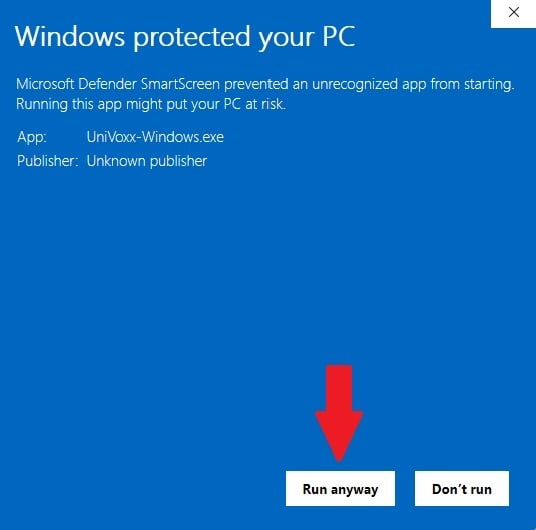
- Double Click the UniVoxx application in the new folder. A new pop-up will appear. Click "More Info", then "Run Anyway".
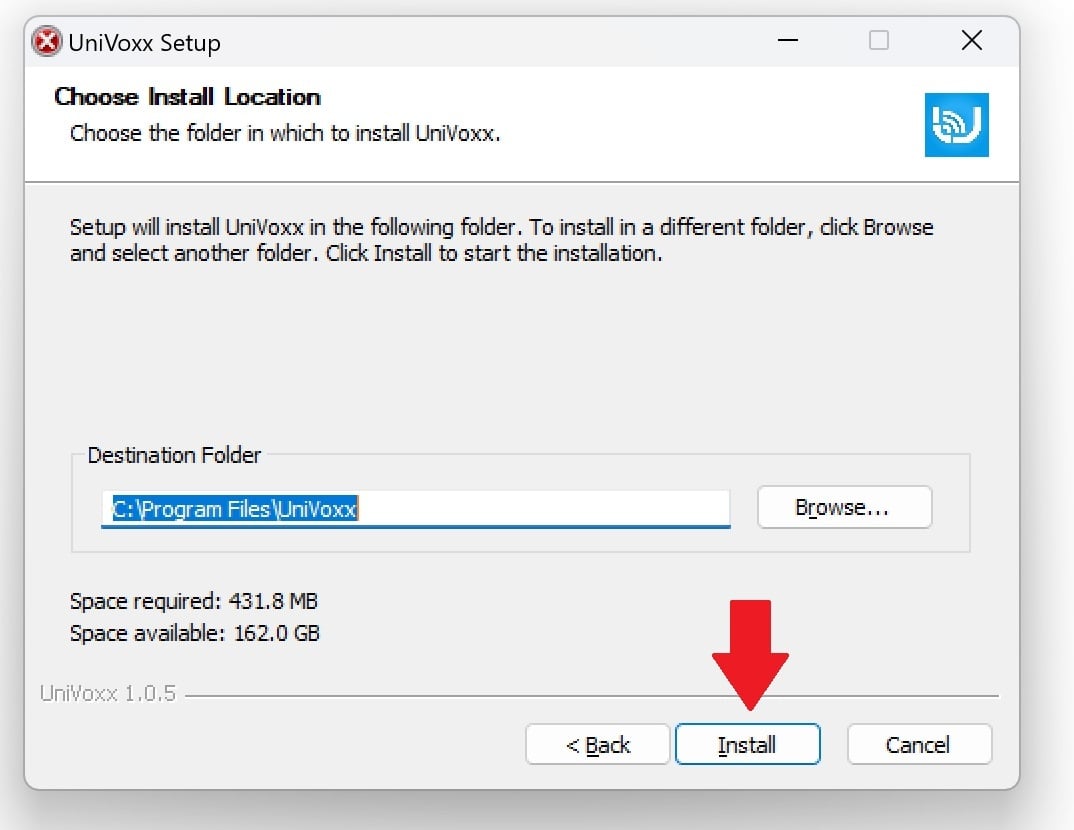
- Press the Install button to finish Installing.
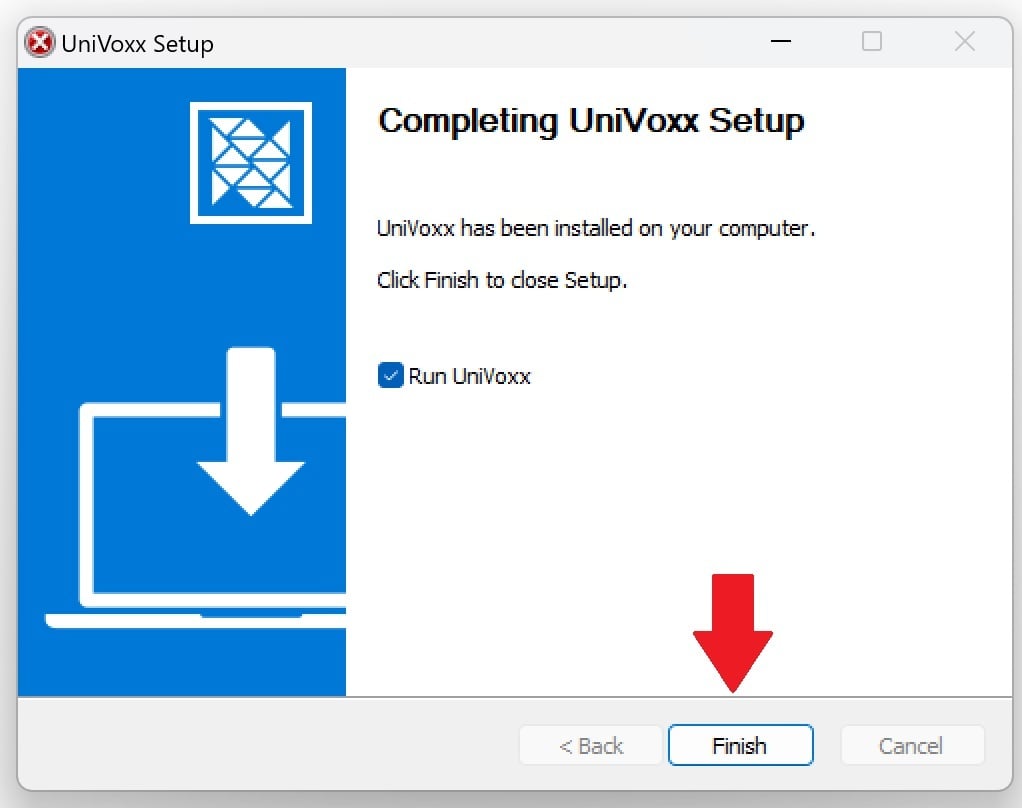
- Click "Finish" to launch the App.
Still stuck?
This is the general version of this guide. Sign in to the customer portal for guides written for your system, deeper troubleshooting and your support history, or reach our team directly.