

Paging
The paging settings are usually only used to create the Page All group for nursing homes.
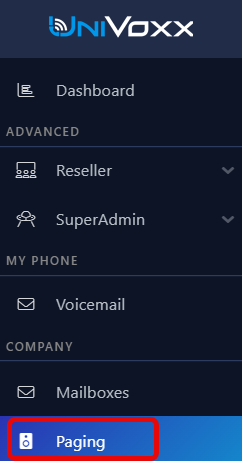
- To access settings for paging, navigate to ‘Paging’ in the side menu.
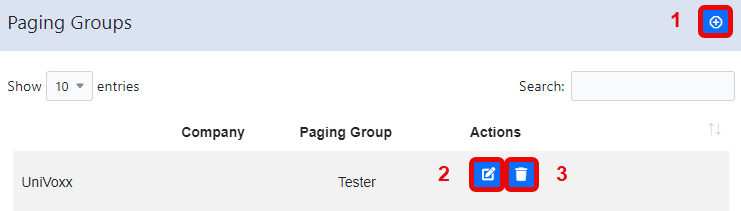
- Listed below are the available options on this page.
1 - Create a new page group
2 - Edit an existing page group
3 - Delete an existing page group
Creating a New Page Group
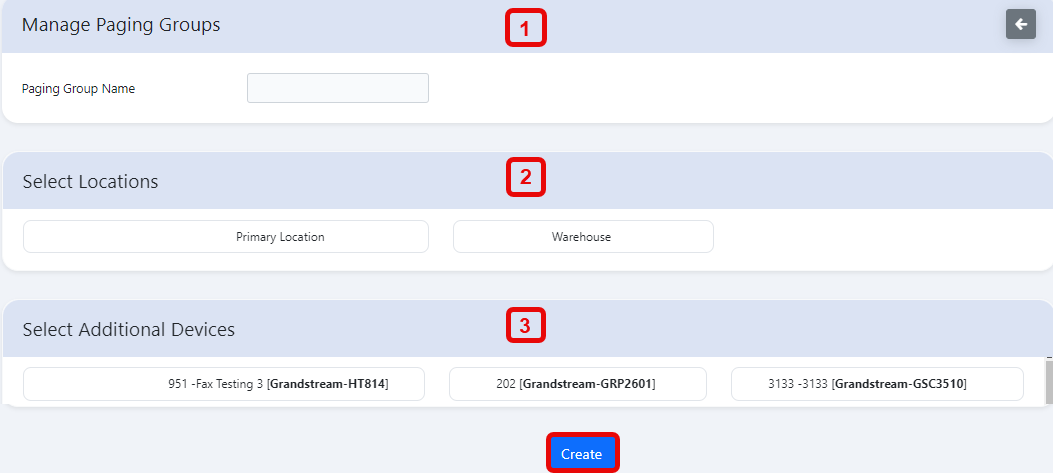
- Select the ‘add’ button from the main Paging Groups page.
- Listed below are the configurable settings when creating a paging group.
1 - Name: This is the identifier for the paging group
2 - Location: This is the location where the paging group will be used.
3 - Additional devices: Select all the devices that you want to page to.
Editing Paging Groups
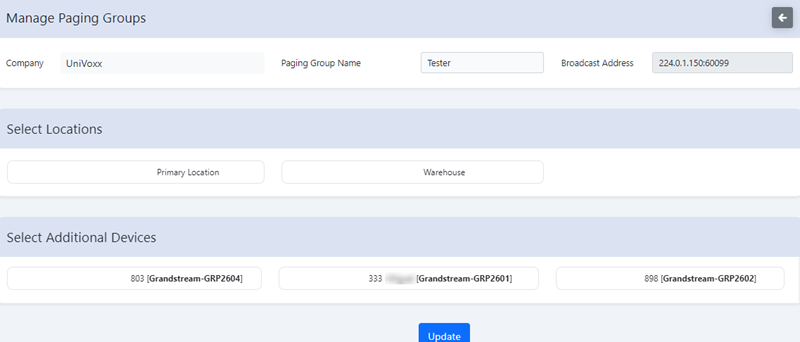
- Select the editbutton next to the paging group you want to edit.
- Here is an example. Use the Creation section to determine which each setting is for.
Still stuck?
This is the general version of this guide. Sign in to the customer portal for guides written for your system, deeper troubleshooting and your support history, or reach our team directly.